Remote Help Center home page Help Center
  • Go to Remote
  • Sign in
  1. Remote
  2. Global Employment
  3. Onboarding
  4. Onboarding FAQs

How do I include a probationary period in the employee's contract?

Article author
Nneka
  • Updated February 17, 2024 15:02

This is done when adding a new employee on Remote. When adding a employee, you can add the probationary period on the Contract Details page. 
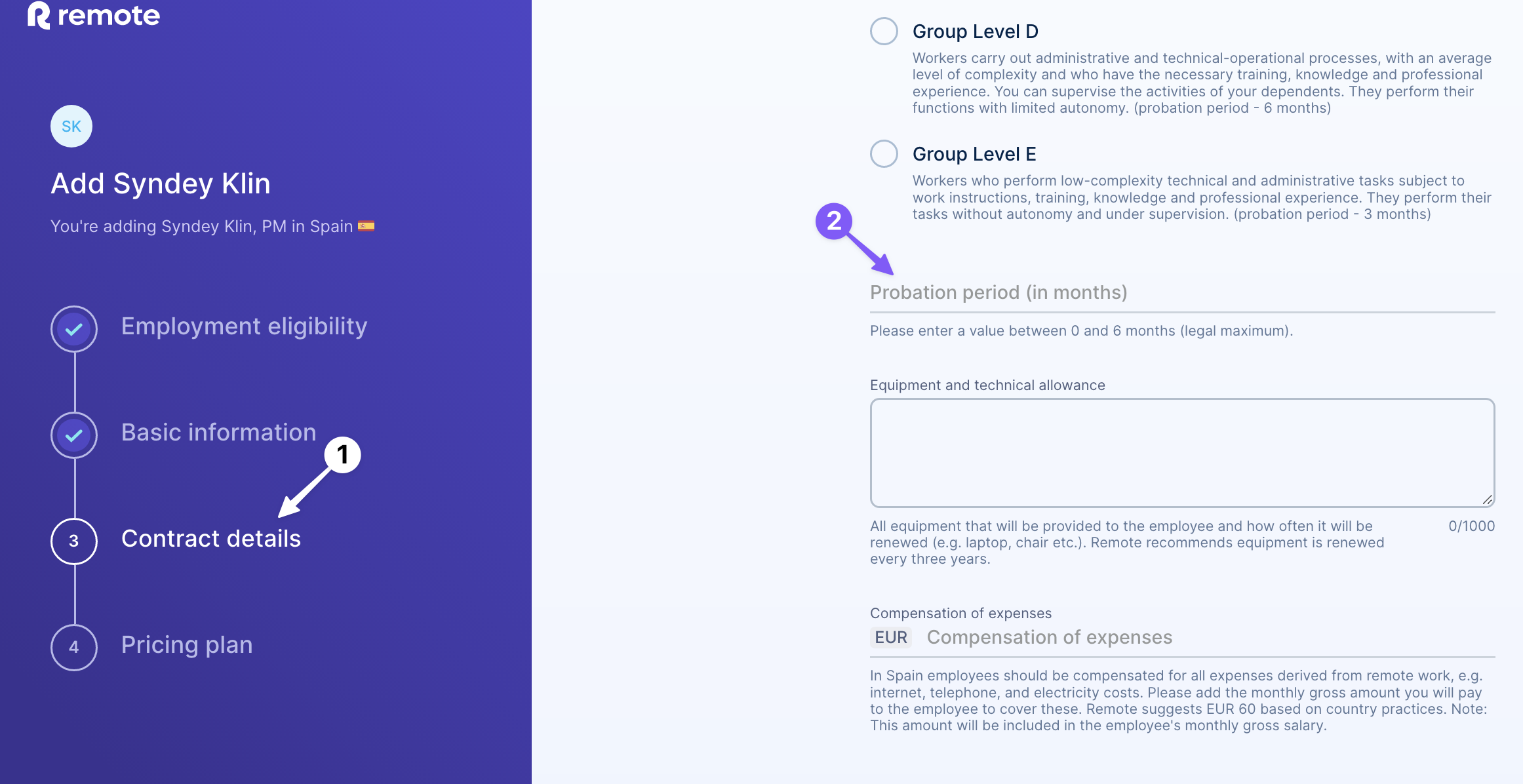
add_probation.png

Was this article helpful?

0 out of 3 found this helpful

Submit a request

Related articles

  • Why is it important to include a probationary period in an employee's contract?
  • Why do I have a probation period?
  • What are the possible outcomes at the end of a probationary period?
  • Can I hire a former employee as a contractor?
  • How does Remote handle taxes?

Comments

0 comments

Article is closed for comments.

Articles in this section

  • How Employee Onboarding Works with Remote Promoted article
  • Remote Onboarding: Everything You Need to Know Promoted article
  • Employee Onboarding Overview for Customers Promoted article
  • Where can I find the Country Employee Handbook? Promoted article
  • How employee onboarding statuses work
  • How to view an employee's onboarding status
  • Will Remote conduct my background check?
  • How is my personal data handled during background checks?
  • Can I offer an employee a salary in a different currency?
  • Do I need to pre-pay for employees?
See more
Remote Help Center home page

Products

  • Employer of Record
  • Global Payroll
  • Contractor Management
  • Contractor of Record
  • Professional Employer Organization

Company

  • About
  • Careers
  • Contact us
  • Country Explorer
  • Handbook
  • Newsroom

Resources

  • Blog
  • Global Payroll Guide
  • Partners
  • Support

Legal

  • Terms and conditions
  • Privacy policy
  • Cookie policy

Copyright © 2026 Remote Technology, Inc. All rights reserved.